
No-code workflow automation background

One platform for every business approval

One platform for every business approval

One platform for every business approval

Manage  finance, HR, IT, and operational approvals in Slack, Microsoft Teams, and email — with automated routing and a complete audit trail.

Trusted by:

Approvals for every part of your business

Approvals for every part of your business

Manage finance, HR, IT, and operational approvals in one flexible platform.

Finance

  • Purchase orders

  • Invoices and bills

  • Expenses

  • Budgets

HR

  • Time off

  • Overtime

  • Onboarding and offboarding

  • Hiring requests

IT

  • Access requests

  • Software purchases

  • Hardware requests

  • Account provisioning

Operations

  • Contracts

  • Project requests

  • Discounts and exceptions

From workflow setup to final approval

From workflow setup to final approval

Create approval workflows in minutes, submit requests in Slack, Microsoft Teams, or the Approveit web app, and keep every decision fully traceable.

  1. Build your workflow

Create forms, approval steps, conditions, and routing rules with the no-code builder — or simply describe your process to Approveit AI and get a ready-to-edit workflow draft.

Acctounts payable automation image
Account recivable automation image
  1. Submit requests anywhere

Employees can create and submit requests directly in Slack, Microsoft Teams, or the Approveit web app using simple forms tailored to each process.

  1. Approve and track

Automatically route every request to the right approvers and keep a complete record of decisions, comments, attachments, changes, and timestamps.

Every step is logged. Every document
is tracked. Easily pass audits and stay
in control with complete financial process transparency

Budget control display image

From workflow setup to final approval

Create approval workflows in minutes, submit requests in Slack, Microsoft Teams, or the Approveit web app, and keep every decision fully traceable.

  1. Build your workflow

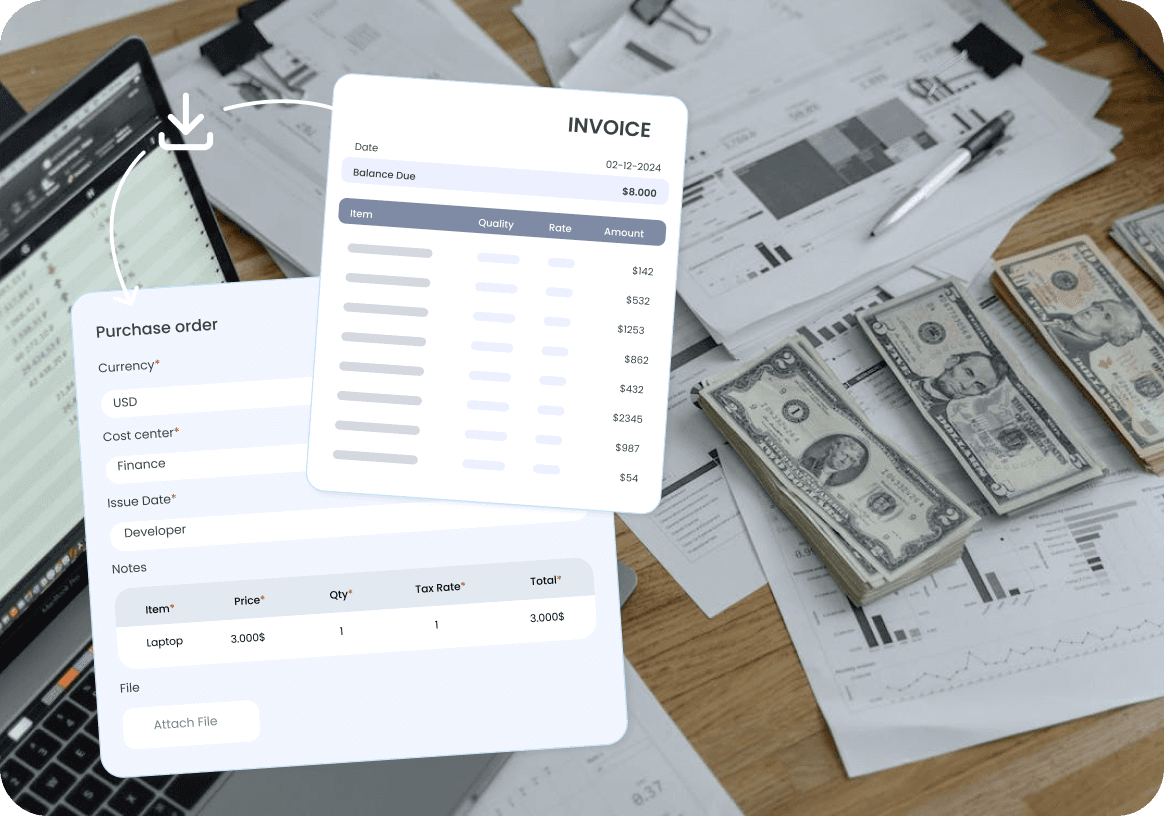
Invoices are matched with purchase orders or budget lines and sent to the right people for approval. Mismatches
are flagged automatically. Approvals happen faster, and nothing gets lost
in the process. AI matching helps detect mismatches and suggest corrective actions

  1. Submit requests anywhere

Employees can create and submit requests directly in Slack, Microsoft Teams, or the Approveit web app using simple forms tailored to each process.

  1. Approve and track

Every step is logged. Every document
is tracked. Easily pass audits and stay
in control with complete financial process transparency

Why teams choose Approveit

Why teams choose Approveit

Why teams choose Approveit

Easy to use

Run approval workflows directly in Slack, Microsoft Teams, email, and the Approveit web app, so employees can submit and approve requests without switching tools.

Set up in minutes

Launch approval workflows in minutes with the no-code builder, ready-made templates, and Approveit AI.
No lengthy implementation projects.

Integrations

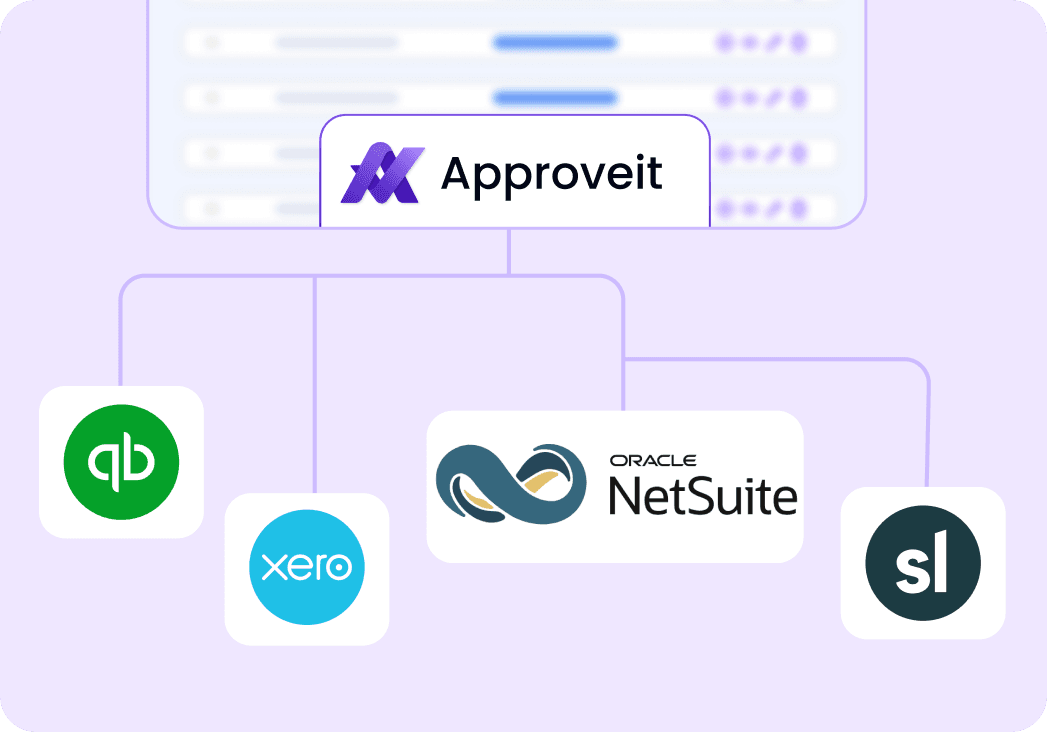
Bring data from NetSuite, Xero, QuickBooks, BambooHR, and other business systems into approval workflows — then sync approved data back automatically.

Full audit trail

Keep every request, decision, comment, attachment, change, and timestamp in one centralized approval record — giving your team a single source of truth.

Rising-star-award
top-10-fastest-growing-award
top-10-most-popular-award

Success Stories from Our Customers

“Easy to understand and implement with flexibility to adjust your structure. Improve the operation and communication among teams”

Danny L., Finance manager at Easygo

“It was very easy to set up, integrate into Slack, and configure workflows. Since it is integrated into Slack, all of the end users were able to start using it immediately with minimal training. A huge advantage vs a standalone approvals solution”

“Easy to understand and implement with flexibility to adjust your structure. Improve the operation and communication among teams”

Andy Chimicles

Head of product at Blade

Danny L.,
Finance manager at Easygo

“It was very easy to set up, integrate into Slack, and configure workflows. Since it is integrated into Slack, all of the end users were able to start using it immediately with minimal training. A huge advantage vs a standalone approvals solution”

Andy Chimicles

Head of product at Blade

Marcella Moniaga

CO-Founder and CCO at Astro

“Easy to use since it is directly integrated with Slack! We can also use third party integration to send the results to other softwares.”

Mariko Arai,

Senior accountant at Midokura

“Easy to select items necessary for creating work flows and it has a connectivity to other applications which broaden opportunities to make our business flow simple and effective”

Bobby G,

Executive pastor at Cape Christian

“We love the way Approveit works within Slack, Its help us streamline our PTO and Expense requests. The support is amazing they seem to respond very quickly and were very helpful with the setup process”

“Easy to select items necessary for creating work flows and it has a connectivity to other applications which broaden opportunities to make our business flow simple and effective”

Mariko Arai, Senior accountant at Midokura

“We love the way Approveit works within Slack, Its help us streamline our PTO and Expense requests. The support is amazing they seem to respond very quickly and were very helpful with the setup process”

Bobby G, Executive pastor at Cape Christian

69% of HR professionals

69% of HR professionals

69% of HR professionals

that use automation in hiring stated that it dramatically decreased time spent on the processes. DEEL

that use automation in hiring stated that it dramatically decreased time spent on the processes. DEEL

that use automation in hiring stated that it dramatically decreased time spent on the processes. DEEL

deel-company-logo

60% of employees can save an average of 30%
of their time

60% of employees can save an average of 30% of their time

60% of employees can save an average of 30%
of their time

with workflow automation. McKinsey

with workflow automation. McKinsey

with workflow automation. McKinsey

82% of finance leaders

82% of finance leaders

82% of finance leaders

are saving on headcount costs through automation. SAGE

are saving on headcount costs through automation. SAGE

are saving on headcount costs through automation. SAGE

Data accuracy increased by 88%

Data accuracy increased by 88%

Data accuracy increased by 88%

when using workflow automation. eSign

when using workflow automation. eSign

when using workflow automation. eSign

Have Questions?

Have Questions?

Have Questions?

What is BPMA?

BPMA stands for business process management automation. This term is ususlly used in reference to software that is applied to automated complex business processes, leading to improved efficiency, transparency and compliance. Key Components of BPMA: 1. Workflow Automation: automating repetitive tasks and workflows to reduce human error and speed up processes. 2. Process Modeling: using software to map out and design business processes for better understanding and optimization. 3. Data Integration: ensuring seamless data flow between different systems and applications within an organization. 4. Monitoring and Analytics: implementing tools to monitor process performance and analyze data for continuous improvement. 5. Robotic Process Automation (RPA): utilizing software robots to handle high-volume, repeatable tasks that previously required human intervention.

What is the difference between business process management automation (BPMA) and robotic process automation (RPA)?

Business Process Management Automation (BPMA) focuses on the end-to-end management and optimization of entire business processes, involving process modeling, workflow automation, data integration, and performance monitoring (as highlighted in the question above). Robotic Process Automation (RPA), on the other hand, targets the automation of specific, repetitive tasks using software robots that mimic human actions within digital systems. BPMA is more comprehensive and complex, while RPA is task-specific and easier to implement. However, both are very intertwined, so you may see these terms used as interchangeable on the internet.

How to automate business processes?

1. Identify processes to automate: Evaluate and prioritize which processes are suitable for automation. Look for repetitive, time-consuming, and error-prone ones. Talk to your team and expore the bottlenecks in your processes together. You might want to implement a special framework for that 2. Define objectives and goals: clearly outline the goals of automation, such as reducing costs, improving speed, or enhancing accuracy; not just in general, bun in the context of specific existing proceses. Set clear business goals that can be quantified. For example: “We’re looking to automate invoice approval process to reduce invoice processing time by 40% and increase accuracy in data entries by 80%”. Establish key performance indicators (KPIs) to measure success. 3. Select the right tools: choose appropriate automation tools based on your needs. Consider factors like scalability, ease of integration, and user-friendliness. Expected RIO should also be a part of your considerations, since for every organization the same SaaS product will provide different ROI. 4. Design and model processes: design the desired workflow. Ensure that the new process model optimizes efficiency and eliminates unnecessary steps. 5. Integrate with existing systems: ensure seamless integration between various systems your team already uses. The more seamless data flow is – the more complete your automation will be. 6. Test automation solutions: explore what benefits each of the competing BPMA systems offers to specifically your business. Test them out and see if features provided work exactly the way you need. 7. Implement and monitor: deploy the automation solution in a controlled environment. Monitor the performance and impact of automation continuously to ensure it meets the set objectives and KPIs. Audit sustem’s performance in different points of your work cycle to see how it handles your processes. Any bottlenecks that appear you can address and eliminate

Can you automate business processes in startups and small businesses?

The sooner you implement formal automated processes into your day-to-day work, the better you’ll be off when scaling. Growing businesses often overlook the opportunity to automate and manage existing business processes while the scale is still small and as a result accumulate a large technical debt that is resource-draining and hard to pay out. However, you don’t have to jump into complete end-to-end automation right away – it may not meet your current business needs and result in losses rather than gains. Start with automating the most time-consuming processes first, and move on from there. Common first candidates for automation are: • invoice management process • procurement process • payment process • inventory management • marketing approval process • user support

What are Business Operations?

Business operations refer to the activities and processes that organizations implement to produce goods or provide services. Basically, it’s a set of actions businesses do to make money. Key aspects of business operations include: 1. Production: This involves the creation of products or services. It includes managing resources such as labor, materials, and equipment to produce goods efficiently. For example, a factory assembling electronics or a restaurant preparing meals. 2. Supply chain management: Coordinating the flow of materials and products from suppliers to customers. This includes procurement of raw materials, inventory management, logistics, and distribution. 3. Sales and marketing: Activities aimed at promoting and selling products or services. This includes market research, marketing strategies, advertising, sales strategies, account management and much more 4. Human Resources: Managing the recruitment, training, development, and welfare of employees. This ensures the organization has a skilled and motivated workforce. Activities include hiring, performance evaluations, employee retention, and compliance with labor laws. 5. Financial management: Planning, organizing, controlling, and monitoring financial resources. This includes budgeting, accounting, financial reporting, investment strategies, and asset management 6. Customer service: Providing support to customers before, during, and after a purchase. This includes handling inquiries, resolving complaints, addressing requests, gathering feedback and ensuring customer retention (reducing churn) 7. IT and technology management: Managing the technology infrastructure and information systems that support business operations. This includes maintaining hardware, software, and networks, ensuring data security, enforcing access policies, and data protection. 8. Compliance and risk management: Ensuring that the business adheres to legal and regulatory requirements. It also involves identifying, assessing, and mitigating risks to protect the organization from potential threats, physical, legal or otherwise.

Still have questions?

Can’t find the answer you’re looking for? Please chat to our friendly team.

Still have questions?

Can’t find the answer you’re looking for?

Please chat to our friendly team.

Still have questions?

Can’t find the answer you’re looking for? Please chat to our friendly team.

Success Stories from Our Customers

“Easy to understand and implement with flexibility to adjust your structure. Improve the operation and communication among teams”

Danny L., Finance manager at Easygo

“It was very easy to set up, integrate into Slack, and configure workflows. Since it is integrated into Slack, all of the end users were able to start using it immediately with minimal training. A huge advantage vs a standalone approvals solution”

Andy Chimicles

Head of product at Blade

“Easy to use since it is directly integrated with Slack! We can also use third party integration to send the results to other softwares.”

Marcella Moniaga

CO-Founder and CCO at Astro

“Easy to select items necessary for creating work flows and it has a connectivity to other applications which broaden opportunities to make our business flow simple and effective”

Mariko Arai, Senior accountant at Midokura

“We love the way Approveit works within Slack, Its help us streamline our PTO and Expense requests. The support is amazing they seem to respond very quickly and were very helpful with the setup process.”

Bobby G, Executive pastor at Cape Christian