

Process Street is strong at turning repeatable procedures into structured checklists and workflow runs. When your main problem is getting invoices, purchase orders, time off, or access requests approved inside existing conversations, approval-specific software is the closer fit. The best Process Street alternative in 2026 is Approveit for no-code approvals inside Slack, Microsoft Teams, and email; Microsoft Power Automate is the better fit when approvals belong inside a broader Microsoft automation.
TL;DR
Among Process Street alternatives, Approveit fits recurring invoice, purchase-order, HR, and IT approvals inside Slack, Teams, and email.
Microsoft Power Automate fits approvals that connect Microsoft applications and other business systems.
Asana fits approvals attached to project tasks and deliverables.
Keep Process Street when repeatable checklists, procedural steps, and workflow runs remain your central requirement.
Why this matters
A procedure and an approval are different jobs. A procedure tells someone what to do; an approval establishes who can authorize the next action. Your replacement needs to match the job that is actually causing delays.
Start with the manual alternative. If your team currently posts invoices in Slack, asks for time off in Teams, or forwards purchase requests by email, you are choosing between unstructured messages and a defined approval workflow—not necessarily replacing an entire process-management platform.
For your 2026 shortlist, separate approval routing from general task tracking. The no-code workflow approval tools guide covers the approval-focused category; the comparison below shows where broader workflow and project tools fit.
Process Street alternatives at a glance
Process Street
Best for: Repeatable procedures
Standout capability: Structured checklists and workflow runs
How it differs from Process Street: The benchmark for procedure-led work
Main trade-off: A checklist-led approach is not always the closest fit for a standalone decision
Approveit
Best for: Recurring operational approvals
Standout capability: No-code approvals directly inside Slack, Teams, and email
How it differs from Process Street: Centers the approval request and decision
Main trade-off: Choose it for approvals, not as an assumed replacement for every procedure
Microsoft Power Automate
Best for: Connected business automations
Standout capability: Flows that combine triggers, actions, and approvals
How it differs from Process Street: Treats approval as a step within a larger automation
Main trade-off: Someone must own flow design and maintenance
Asana
Best for: Project deliverable approvals
Standout capability: Approval tasks within project work
How it differs from Process Street: Keeps the decision attached to a task or deliverable
Main trade-off: Project structure does not itself define your finance or access policy
Manual Slack, Teams, or email
Best for: Occasional straightforward decisions
Standout capability: A direct message to the decision-maker
How it differs from Process Street: Removes the structured workflow layer
Main trade-off: People must manage routing, follow-up, and decision records themselves
Do not use feature count as the deciding factor. A tool that handles more kinds of work is not automatically better at the approval your team repeats every week. Choose the structure that keeps the request, responsible approver, and final decision together.
1. Approveit: best for recurring operational approvals
Approveit approval workflow software serves finance, HR, IT, and operations teams that need decisions without moving approvers out of Slack, Microsoft Teams, or email. It provides no-code workflows for invoices, purchases, expenses, and requests. The buying question is direct: do you need to manage an entire procedure, or get a defined request authorized?
Where Approveit shines
Finance approvals: Route invoice, purchase, and expense requests through a defined approval workflow rather than relying on forwarded messages.
HR approvals: Give recurring time-off and employee requests a consistent decision path.
IT approvals: Structure access and software requests instead of treating every chat message as a separate process.
Approver experience: Keep approval actions inside the communication tools your team already uses.
No-code setup: Define approval workflows without writing code, with traceable decisions and audit records.
Where Approveit falls short
An approval-focused purchase is the wrong scope if your main requirement is documenting and executing detailed procedures.
No-code configuration still requires you to define ownership and approval rules. Software does not decide who should authorize a purchase.
Keeping approvals inside chat does not eliminate the need for complete request information. An invoice without the necessary context remains hard to approve.
These limits matter. If your existing Process Street workflows combine detailed instructions, task completion, and approvals, identify which parts you intend to retain before selecting a replacement.
Head-to-head: approvals versus procedures
Main organizing unit
Approveit: Approval request and decision
Process Street: Checklist and workflow run
Strongest buying use case
Approveit: Recurring operational approvals
Process Street: Repeatable procedures
Communication fit
Approveit: Approvals directly in Slack, Teams, and email
Process Street: Structured execution of a defined process
Evaluation focus
Approveit: Routing, decision traceability, and approver experience
Process Street: Procedure structure, step completion, and workflow execution
Best for: Teams with recurring finance, HR, IT, or operations approvals that currently depend on manual messages.
Verdict: Buy for approval automation; hold if you need to replace a full procedural checklist system.
2. Microsoft Power Automate: best for connected Microsoft workflows
Microsoft Power Automate creates flows that connect application events, actions, and approval steps. It fits a request that needs to move across systems, not just reach an approver. For example, your evaluation can follow a submitted request through a decision and then into the required downstream action.
The important distinction is ownership. You are buying the ability to design an automation, so assign someone to maintain its connections, conditions, and failure handling.
Where Microsoft Power Automate shines
Cross-application work: Combine an approval with actions in connected business applications.
Microsoft context: Build workflows around Microsoft services such as Teams, Outlook, and SharePoint.
Conditional logic: Use flow conditions to determine what happens before and after a decision.
Where Microsoft Power Automate falls short
A simple approval requirement can turn into a flow-design project when you add connections and downstream actions.
Someone must troubleshoot failed actions and maintain the automation as connected systems change.
Building a flow does not provide the written operating procedure your team needs to follow. Keep instructions separate when they matter.
Head-to-head: automation versus checklist execution
Main organizing unit
Microsoft Power Automate: Automated flow
Process Street: Checklist and workflow run
Approval's role
Microsoft Power Automate: A step within an automation
Process Street: A step within a repeatable process
Strongest use case
Microsoft Power Automate: Connected application actions
Process Street: Guided procedural execution
Ownership focus
Microsoft Power Automate: Connections, conditions, and flow maintenance
Process Street: Procedure design and workflow completion
For a 2026 evaluation, demonstrate the whole flow—not just the approval notification. Submit a request, record the decision, and inspect the downstream result. Include a failed action so you can see how the workflow owner identifies and resolves it.
Best for: Teams that want approvals inside a broader Microsoft-centered automation and have an owner for that automation.
Verdict: Buy for connected flows; skip when your only requirement is a straightforward recurring approval.
3. Asana: best for project deliverable approvals
Asana organizes work around tasks and projects and supports approval tasks. It fits decisions about work already managed in a project, such as accepting a design or reviewing a completed deliverable. Keeping the decision attached to the work is its clearest advantage here.
Where Asana shines
Connect the approval to the task being reviewed.
Keep project context, ownership, and discussion near the decision.
Use one project structure for execution and review.
Where Asana falls short
A project task is not a substitute for a defined invoice, purchasing, or access-control policy.
Requests originating in chat or email still need a deliberate path into the project workflow.
A project-management purchase is a broad answer to a narrow approval problem.
Head-to-head: project work versus repeatable procedures
Main organizing unit
Asana: Task and project
Process Street: Checklist and workflow run
Approval context
Asana: Project task or deliverable
Process Street: Defined procedural step
Strongest use case
Asana: Work coordination and review
Process Street: Repeated process execution
Best for: Teams whose approval decisions concern deliverables already managed in Asana.
Verdict: Buy for project-based reviews; skip as the default answer to standalone operational approvals.
Why people switch from Process Street
The useful reasons to switch are about workflow fit. Do not assume a competitor's limitations from a product category, and do not migrate because a comparison page ranks another tool first.
Use these reasons only when they describe your actual work:
The procedure is already understood. Your team does not need another checklist; it needs a request routed to the person authorized to decide.
The approver works in chat or email. Your priority is completing the decision in Slack, Teams, or email rather than introducing another destination.
The decision triggers other system actions. A connected automation is a closer fit than a procedure-centered workflow.
The decision belongs to a project deliverable. Keeping approval beside the task matters more than managing a repeatable checklist.
None of these reasons establishes that Process Street cannot handle approvals. They establish what you should prioritize during evaluation. The right replacement improves the job you need done without discarding procedure management that still serves your team.
Test one approval before you commit
Use one real recurring request for your 2026 evaluation. An invoice, purchase request, time-off request, or software-access request gives you a concrete scenario. Keep the request and decision rules identical across every candidate.
Review the same stages in each demonstration:
Intake: Does the request contain the information the approver needs?
Routing: Does the request reach the person authorized to decide?
Decision: Can that person approve or reject in the intended working environment?
Record: Can the process owner identify the request, decision-maker, and outcome afterward?
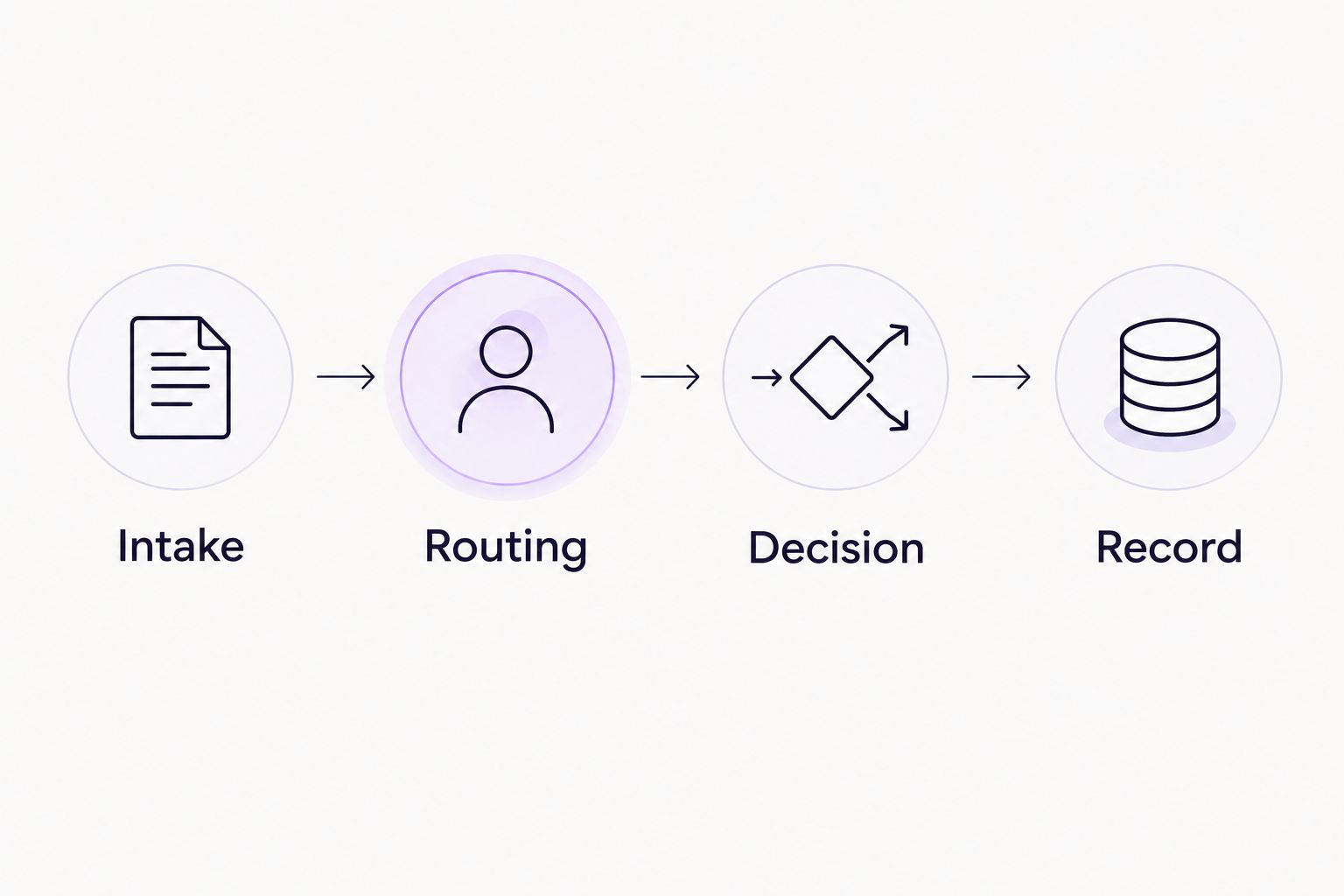
Evaluate the complete decision path, not just the notification.
Add exceptions to the demonstration. Ask what happens when request information is incomplete, the assigned approver is unavailable, or the request is rejected. Treat these as questions to test, not capabilities to assume.
For an invoice, include the supplier, supporting document, and business reason. For time off, include the dates and relevant manager. For access, include the requested system and authorization context. Your internal policy determines the required fields; the demonstration shows whether the workflow can apply them.
Ask the workflow owner to configure the process while you watch. Then ask an approver to complete it without coaching. A successful administrator demonstration is not enough if the decision-maker cannot understand the request or find the correct action.
Evaluate your recurring approval workflow
Bring an invoice, purchase, HR, or IT request and assess the complete approval path.
When staying with Process Street is the right call
Stay with Process Street when repeatable procedures remain the core requirement. If employees need instructions, ordered steps, and a consistent workflow run, replacing that structure with approval-only tooling changes the job rather than improving it.
Keep manual Slack, Teams, or email approvals when a request is occasional, ownership is obvious, and you can maintain the required decision record. Manual messages are a valid baseline. Their limitation is the coordination work your team must do outside a structured workflow.
For 2026, make the decision by workflow rather than department name. Finance can need both a procedure and an approval; HR can need both project coordination and a manager's decision. Choose the tool for the specific work, not the label on the team.
FAQ
What's the best Process Street alternative in 2026?
The best fit depends on whether you need approval automation, connected application workflows, or project reviews. Choose approval-specific software for recurring operational decisions, Microsoft Power Automate for connected flows, and Asana for project deliverable approvals.
Is Process Street an approval tool or a checklist tool?
Process Street is a process-management platform built around structured checklists and workflow runs, and it includes approval functionality. Evaluate it when the approval is part of a repeatable procedure rather than assuming the categories are mutually exclusive.
Can I automate approvals without leaving Slack or Microsoft Teams?
Yes, approval workflow software can support decisions directly inside Slack or Microsoft Teams. Test the complete request, approval, and decision-record experience in the communication tool your approvers use.
Is Microsoft Power Automate better than Process Street?
Microsoft Power Automate is the closer fit for connecting application triggers, actions, and approvals. Process Street is the closer fit when people need to follow a repeatable procedure through structured workflow runs.
Can Asana replace Process Street for approvals?
Asana fits approvals attached to tasks and project deliverables. It is not automatically the right replacement for detailed procedural workflows or standalone finance and IT approval requirements.
Should I automate approvals or keep using email?
Automate when recurring requests need consistent routing and traceable decisions. Keep email for occasional straightforward decisions when responsibility is clear and you can maintain the required record.
What should I ask in an approval software demo?
Ask the provider to demonstrate your real request from submission through the recorded decision. Include incomplete information, an unavailable approver, and a rejection so you can inspect the exceptions as well as the normal path.
One last thing
Do not migrate a checklist when the broken part is the decision. Map the request, authorized approver, and required record first. If the rest of your procedure works, keep it and change only the approval path.
That narrower decision gives you a clearer demo brief: show how the request reaches the right person, how that person decides, and how the outcome remains traceable.







