

Choose Approveit if you need recurring invoice, purchase, HR, or IT approvals inside Slack, Microsoft Teams, and email; choose Cflow if your priority is visual business-process design rather than an approval experience centered on those channels. This 2026 comparison explains which buying criteria matter, what to demonstrate, and how to choose without replacing one manual process with another.
TL;DR
Approveit vs Cflow comes down to in-chat approval workflows versus visual business-process design.
Choose Approveit approval workflow software for recurring decisions inside Slack, Microsoft Teams, and email.
Choose Cflow for a process-centered evaluation; test the complete workflow before committing.
Compare decision records, workflow ownership, and total subscription scope—not notification delivery alone.
Why this matters
Your main alternative is often the approval process you already have: a Slack message, a Teams conversation, or an email someone must chase. Replacing that process only helps if the request reaches the right person and the final decision remains traceable.
An approval tool and a general workflow builder overlap, but they start from different questions. The approval question is: who needs to decide, using what information? The process-design question is: what happens across the entire sequence of work?
Choose the buying category before comparing feature lists. A finance lead trying to stop invoice chasing has a different brief from an operations owner redesigning a process across departments.
At a glance
Best for
Approveit: Recurring approvals inside Slack, Teams, and email
Cflow: Visual design of business-process workflows
Standout feature
Approveit: Approval actions inside existing communication channels
Cflow: Visual workflow building
Daily workspace
Approveit: Channel-centered approval experience
Cflow: Process-centered workflow experience
Setup approach
Approveit: No-code approval workflow configuration
Cflow: No-code workflow design
Process scope
Approveit: Invoice, purchase, expense, HR, IT, and operational approvals
Cflow: Business-process automation evaluation
Policy ownership
Approveit: Your team defines approval responsibility
Cflow: Your team defines process responsibility
Pricing model evaluation
Approveit: Confirm subscription scope and billable usage
Cflow: Confirm subscription scope and billable usage
The table identifies the buying distinction, not a reason to skip a demonstration. In your 2026 evaluation, require each vendor to show the same request from submission through the final decision.
In-chat approvals win when approvers already work there
An in-chat approval experience fits teams whose decisions already happen in Slack or Microsoft Teams. The benefit is not another notification. It is letting the decision happen where the approver is already working.
Consider a purchase request. The requester submits the business need, the responsible person reviews it, and the organization needs a decision it can refer to later. A message announcing that something needs approval is not equivalent to completing that approval inside the communication channel.
During the demonstration, ask the approver to perform the actual task. Can the person understand the request, make the decision, and determine what happens next without searching through a separate conversation?
For a channel-specific shortlist, see the guide to approval software for Slack. Keep the evaluation focused on approval actions rather than the number of integrations listed.
The limitation is scope. If your main problem is coordinating work before and after a decision, an approval-centered buying brief needs additional process requirements. Do not assume that improving the decision step replaces every surrounding task.
Cflow is the process-design candidate
Cflow is the better starting point when visual process design is the buying brief. Its workflow-builder orientation makes the process itself the object of evaluation, rather than treating every requirement as a variation of an approval request.
That distinction matters when your operations owner needs to describe a sequence of work, its responsible people, and its decision points. Start with the complete business process. Then identify which parts are approvals and which parts are other work.
Use a process map before the demonstration:
Request intake: What starts the process, and what information is required?
Decision point: Who can authorize the next action?
Work handoff: What must someone do after that decision?
Completion record: What proves that the process finished?
A visual builder is useful only if your team can maintain the resulting process. Ask the person who will own it to explain the configuration back to you.
The tradeoff is evaluation effort. A broader process brief creates more requirements to prove. Do not choose a workflow builder merely because its demonstration contains more steps than your actual approval process needs.
Both approaches still need a clear approval policy
Neither buying approach fixes an undefined approval policy. No-code configuration removes the need to write software for the workflow; it does not decide who should authorize a purchase or approve time off.
Before your 2026 demonstration, write down the policy in business language. Name the requester, the approver, the information required, and the condition that ends the request. Separate the approval decision from any work that follows it.
For example, approving an employee's access request is not the same as granting the access. Your evaluation must distinguish permission to act from the action itself. Otherwise, a successful approval demonstration can conceal an incomplete operating process.
Use this ownership check:
Who maintains the workflow when responsibilities change?
Who answers questions about a disputed decision?
Who handles an incomplete or incorrectly submitted request?
Who checks that approved work actually gets completed?
Both candidates belong in a no-code evaluation. Neither should be selected on the assumption that no-code means no process owner.
Finance approvals favor a focused decision test
An invoice approval demonstration should start with an invoice, not a generic request form. A purchase approval demonstration should start before the purchasing commitment, not after the invoice arrives.
The distinction changes what the workflow must establish. Invoice approval asks whether a bill is authorized for the next finance step. Purchase approval asks whether the organization authorizes the proposed commitment. Expense approval asks whether a submitted expense meets the organization's rules.
The approval-focused option explicitly covers invoices, purchases, and expenses. That makes it a direct candidate when finance needs to standardize recurring authorization requests inside its existing communication channels.
For either candidate, bring these scenarios:
Invoice: A reviewer needs enough context to authorize or reject the request.
Purchase: The approver must understand the proposed business commitment.
Expense: The reviewer needs the submission and its supporting information.
Do not treat approval as payment execution, accounting reconciliation, or purchasing fulfillment. Evaluate those surrounding requirements separately. A good approval decision is necessary, but it is not proof that every downstream finance task is complete.
HR and IT need different request details, not different principles
HR time-off requests and IT access requests share a basic structure: someone asks, someone with authority decides, and the organization needs a record. Their required information differs.
For time off, the approver needs the requested dates and relevant context. For access, the approver needs to understand what access is requested and why. Do not force both requests into an identical form just because the approval steps look similar.
Your test should separate reusable workflow structure from department-specific information:
Request details: Capture the information needed for this decision.
Approval owner: Identify the person authorized to decide.
Decision record: Preserve the outcome and its context.
Follow-up action: Specify what happens after approval.
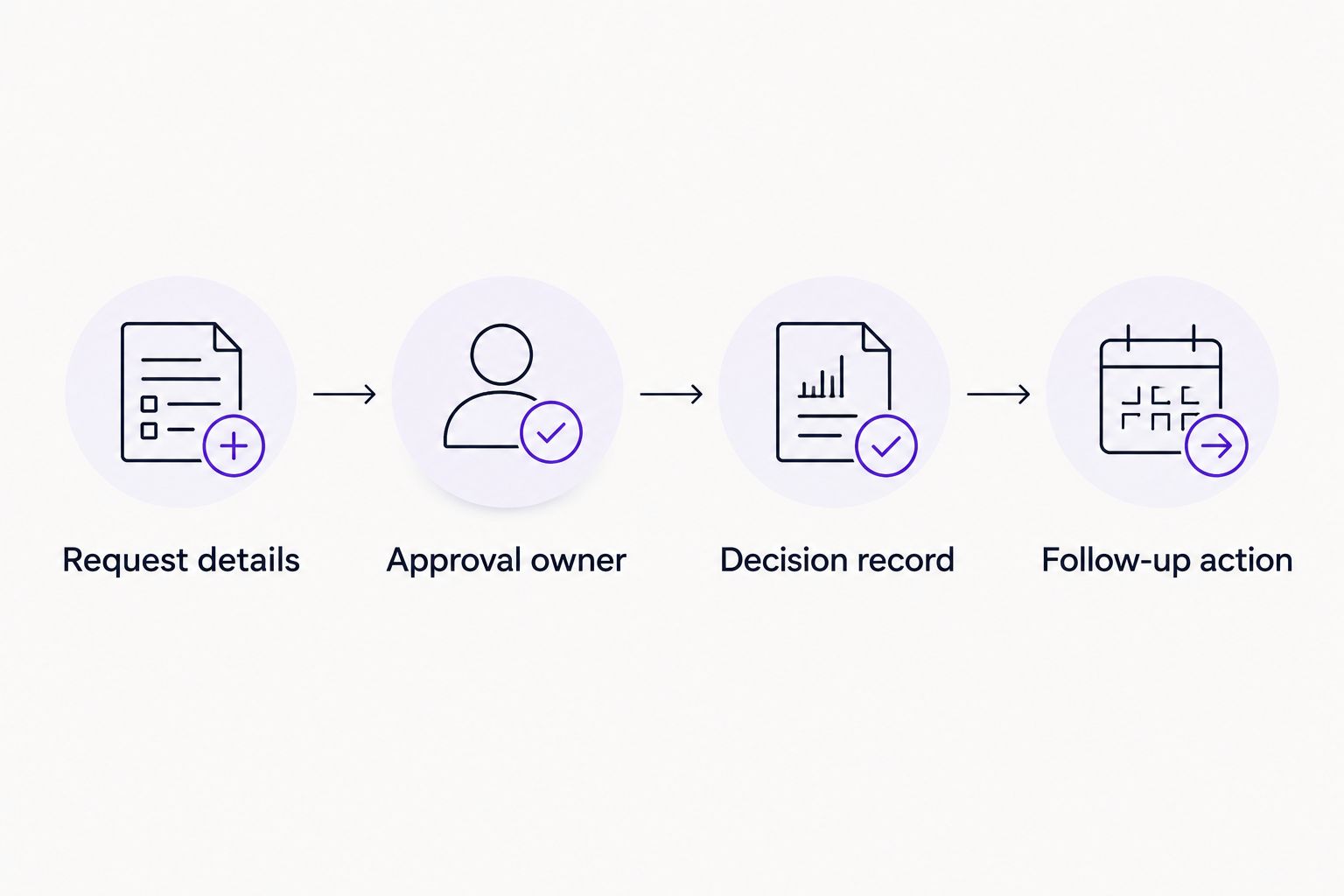
An approval decision and its follow-up action are separate parts of the process.
Use this structure to compare both candidates without assuming identical departmental needs. The stronger fit is the one that handles your actual request clearly and leaves an accountable owner for the next action.
Decision traceability is a requirement, not a tie-breaker
A traceable decision connects the request, the responsible person, and the outcome. A conversation containing the word approved is not enough if your team cannot establish what was approved.
The approval-focused product emphasizes traceable decisions and audit records. In the demonstration, inspect the actual record rather than accepting a description of it. Then apply the same inspection to Cflow.
Ask someone who did not submit or approve the request to reconstruct the event. They should be able to identify the request, understand the decision, and distinguish completed work from an outstanding next step.
Treat record quality as a pass-or-fail requirement. A polished interface does not compensate for an unclear decision history. Equally, an extensive workflow diagram does not prove that a reviewer can answer a straightforward question about a completed request.
Pricing: compare the billing basis and operating work
For a 2026 purchase, compare subscription scope alongside the work your team must do to maintain the process. Request a commercial proposal for the same operating scenario from both vendors.
Ask each vendor to explain its pricing model in writing:
Which people or roles affect the subscription?
How do workflow scope and request activity affect billing?
Which required capabilities belong in the proposed package?
What changes commercially when another department joins?
What implementation or support work is included?
A fixed scope offers predictability only when it covers your real usage. A usage-sensitive arrangement offers flexibility only when the billable activity is clearly defined. Establish which model each proposal actually uses before comparing them.
Keep internal ownership visible too. Someone must maintain request details, approval responsibility, and process changes. Choose a proposal your finance team can understand and a workflow your operating team can own.
Run a small proof before expanding
Use 3 sample requests, 2 approver roles, and 1 workflow owner as a practical demonstration brief. These are test-design recommendations, not product limits or performance claims.
Pick ordinary requests from the team that needs approval automation first. Include an approved request, a rejected request, and an incomplete request. Have the intended workflow owner observe the configuration and explain how a policy change would be handled.
Evaluate the outcome against a short checklist:
The requester knows what information to submit.
The authorized approver can make the decision in the intended workspace.
The decision record explains the outcome.
The workflow owner understands how to maintain the process.
The next action has a named owner.
For your 2026 rollout, start with the recurring approval that already causes chasing. Expand after the team can complete and explain that workflow without relying on an informal side conversation.
Evaluate your approval workflow
Bring an invoice, purchase, HR, or IT request and compare the complete approval path.
Final verdict: choose the operating model
Choose Approveit if your team needs in-chat approvals
Approveit approval workflow software is best for teams that need recurring decisions inside Slack, Microsoft Teams, and email. The named buyer is a finance or operations lead replacing manual approval chasing, with HR and IT requests following the same decision discipline.
Keep the brief focused: collect the right request information, reach the authorized approver, and retain a traceable decision. Evaluate surrounding operational work separately.
Choose Cflow if your owner is designing the broader process
Choose Cflow for a process-centered workflow evaluation. The named buyer is an operations process owner whose main task is defining and maintaining the wider sequence of work, not only moving an approval into chat.
Require the broader workflow to prove its value using your own process. More configurable steps are useful only when those steps represent work your organization actually needs.
In-chat approval buying brief
Winner: Approveit
Visual process-design buying brief
Winner: Cflow
Clear policy and ownership
Winner: Tie: required for either approach
Finance, HR, and IT fit
Winner: Decide using department-specific requests
Decision traceability
Winner: Pass-or-fail demonstration requirement
Commercial fit
Winner: Decide using equivalent proposals
FAQ
What's the main difference between Approveit and Cflow?
Approveit centers recurring approvals in Slack, Microsoft Teams, and email; Cflow centers visual business-process workflow design. Choose according to whether your primary problem is the approval decision or the wider process.
Which approach is better for approvals inside Slack or Microsoft Teams?
An in-chat approval approach is the direct fit when approvers need to decide inside Slack or Microsoft Teams. Test the approval action itself, not just whether the software sends a notification.
Should we replace our manual email approvals first?
Start with a recurring email approval that already requires chasing. Define its request information, approver, and decision record before expanding to other departments.
Can one approval structure work for finance, HR, and IT?
One basic structure can organize requests, approvers, decisions, and follow-up actions across departments. Keep the required request information specific to invoices, time off, or access requests.
Does approving an IT request automatically grant access?
Approval and access provisioning are separate actions. Confirm the required follow-up process rather than assuming an approved request performs the operational change.
How should we compare subscription proposals?
Compare proposals using the same users, roles, workflows, and expected activity. Ask each vendor to identify its billing basis and the scope included in the proposed package.
What should we test before choosing in 2026?
Test a complete request from submission through decision and follow-up. Include an approved, rejected, and incomplete request, then ask the intended workflow owner to explain the resulting records.
One last thing
Test the rejected request before celebrating the approved one. A useful workflow must make an unfavorable decision just as clear as a favorable decision, including what the requester should do next.
If the explanation still lives in a separate message thread, the process is not yet self-contained. Fix that gap before adding another department.







