





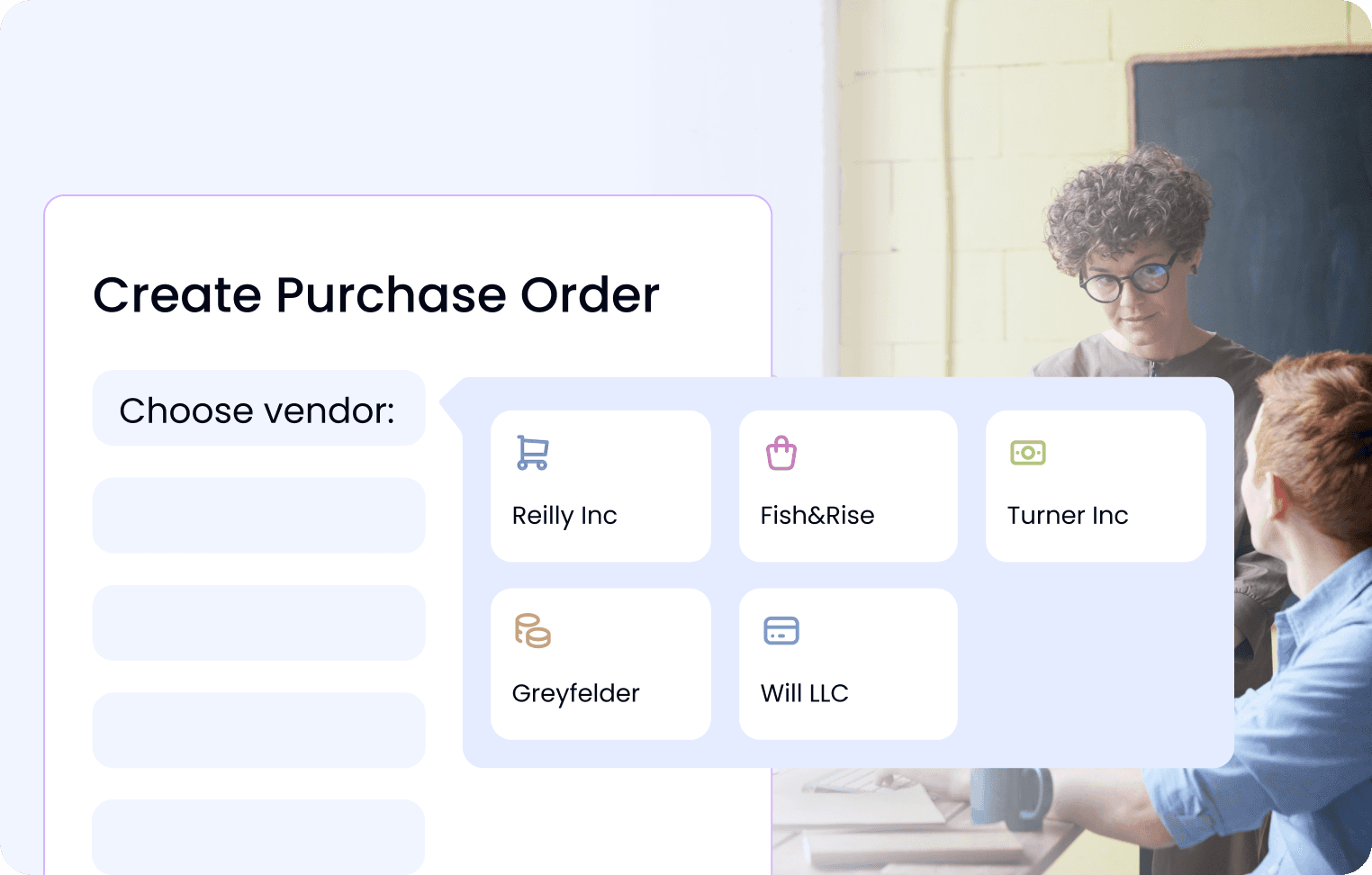
Standardise PO creation, routing and sign-off with rules and real-time tracking to enforce policy and prevent budget overruns
Learn More


Use intelligent capture and matching to auto-link invoices to POs, flag duplicates and route exceptions, reducing cycle times and late fees
Start Free Trial
Managing vendors shouldn’t feel like a full-time job. Our accounts payable software centralizes vendor data, tracks communication, and ensures timely, accurate payments. With automated onboarding, real-time status updates, and self-service portals, your AP team can reduce manual workload while creating a seamless experience vendors trust
Book a Demo


From audit trails to approval limits, our accounts payable software is built for compliance. Configure rules based on your internal controls and let the system do the heavy lifting: automatically flagging exceptions, enforcing policies, and storing documentation. Stay audit-ready, reduce fraud risk, and maintain full control without sacrificing speed or flexibility
Request a Quote
Get complete clarity on spending across departments, projects, or regions with real-time cost center tracking. Our accounts payable software makes it easy to assign invoices and purchase orders to the right cost centers, so finance leaders can manage budgets proactively, avoid overages, and report with confidence. No more guesswork or manual spreadsheet reconciliations
Start Free Trial



Step 1. Create Purchase Order
Initiate a purchase order for the required goods or services and send it to the vendor.
Step 2. Internal Approval Workflow
Review and approve internally to ensure compliance with budget and procurement policies.
Step 3. Receive Vendor Invoice
The vendor sends an invoice referencing the approved PO. The invoice is logged into the system for processing.
Step 4. Match Invoice to Cost Center
The invoice is assigned to the appropriate cost center or project for accurate budgeting and financial reporting.
Step 5. Final Invoice Approval
Review and approve the invoice before it moves forward for payment processing.
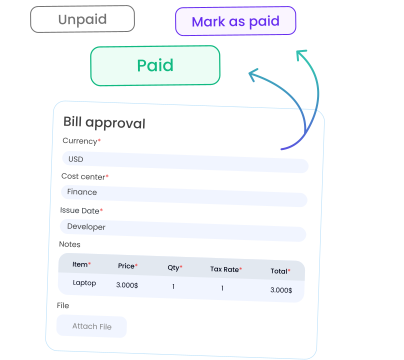











Bill Approval
Ideal for finance teams dealing with high volumes of vendor invoices. This template ensures all bills follow a consistent approval process and reduces back-and-forth with stakeholders. Our AI handles the routine work for you


Purchase Order Approval
Perfect for procurement and operations leads who need to track spending before it happens. This template brings structure and accountability to purchase requests, while aligning every PO with budget owners and internal policies

Request for Quote
Made for teams sourcing vendors, products, or services. Easily compare offers, justify purchasing decisions, and keep records clean with a consistent quote request process that removes email chaos from vendor negotiations

Invoice Approval
Great for AP teams that want more control without extra overhead. This template standardizes invoice checks, routes them to the right people, and ensures every payment follows internal rules, no more missed approvals or spreadsheet tracking

Quote Approval
Built for sales, finance, or client-facing teams who handle pricing requests. Use this to quickly review and send quotes, speed up client response time, and ensure all proposals meet internal pricing guidelines

Contract Approval
Essential for legal, procurement, and vendor management teams. This template makes it easy to manage approvals, reduce contract delays, and centralize final documents for audits or future reviews, all in one place. Our AI-based system will automate routine approvals for you!


What is accounts payable automation software?
Accounts payable automation software digitizes and automates the entire AP cycle: from purchase order creation and routing through invoice processing, matching, approvals, and final payment, reducing manual touchpoints and errors. It brings all vendor invoices, POs, and payment data into one centralized platform for greater control and visibility.
What are the key benefits of accounts payable software?
‑ Time savings: AP automation can save organizations over 70% of the time spent on AP tasks by boosting invoice throughput from ~5 to ~30 invoices per hour. ‑ Cost reduction: Companies report up to 81% lower processing costs and 73% faster cycle times after AP automation. ‑ Improved accuracy: Intelligent invoice matching (2‑ or 3‑way) and built‑in compliance rules eliminate duplicates and errors. ‑ Stronger vendor relationships: Automated onboarding, self‑service portals, and real‑time status updates lead to faster, more reliable vendor payments
How does accounts payable software improve invoice processing?
AP platforms use OCR/AI to capture invoice data, automatically match invoices to POs and cost centers, flag duplicates, and route for approval, all in minutes instead of days. This reduces manual entry by up to 80% and speeds vendor payments, helping finance teams avoid late fees and strengthen supplier trust.
What features should I look for in accounts payable software?
‑ PO automation: Creation, routing, and approval with policy enforcement. ‑ Invoice matching & validation: 2‑ and 3‑way matching with exception handling. ‑ Vendor portal & data management: Centralized vendor records and self‑service tools. ‑ Audit trails & compliance controls: Configurable rules, exception flags, and secure document storage. ‑ Real‑time spend tracking: Cost‑center assignment and budget monitoring for proactive control.
How does accounts payable software enhance vendor management?
By centralizing vendor profiles, communications, and payment history, AP software enables automated onboarding, timely reminders, and self‑service access, reducing back‑and‑forth emails and improving vendor satisfaction. Real‑time status updates keep vendors informed, strengthening trust and collaboration.
How do I choose the best accounts payable software for my business?
Look for a solution that: Adapts to your workflow with minimal setup and an intuitive interface. Automates approvals via configurable rules, notifications, and escalation. Integrates seamlessly with ERPs (QuickBooks, NetSuite, Xero) and collaboration tools (Slack, Teams). Scales with your team, offering role‑based permissions, audit readiness, and analytics dashboards to ensure visibility, control, and compliance without complexity.