
Feature visibility allows workspace admins to control which features and modules are available across the entire workspace. This helps tailor the platform to your business processes, simplify the interface, and manage access to functionality.
Feature visibility is configured by admins in Workspace settings → Features.
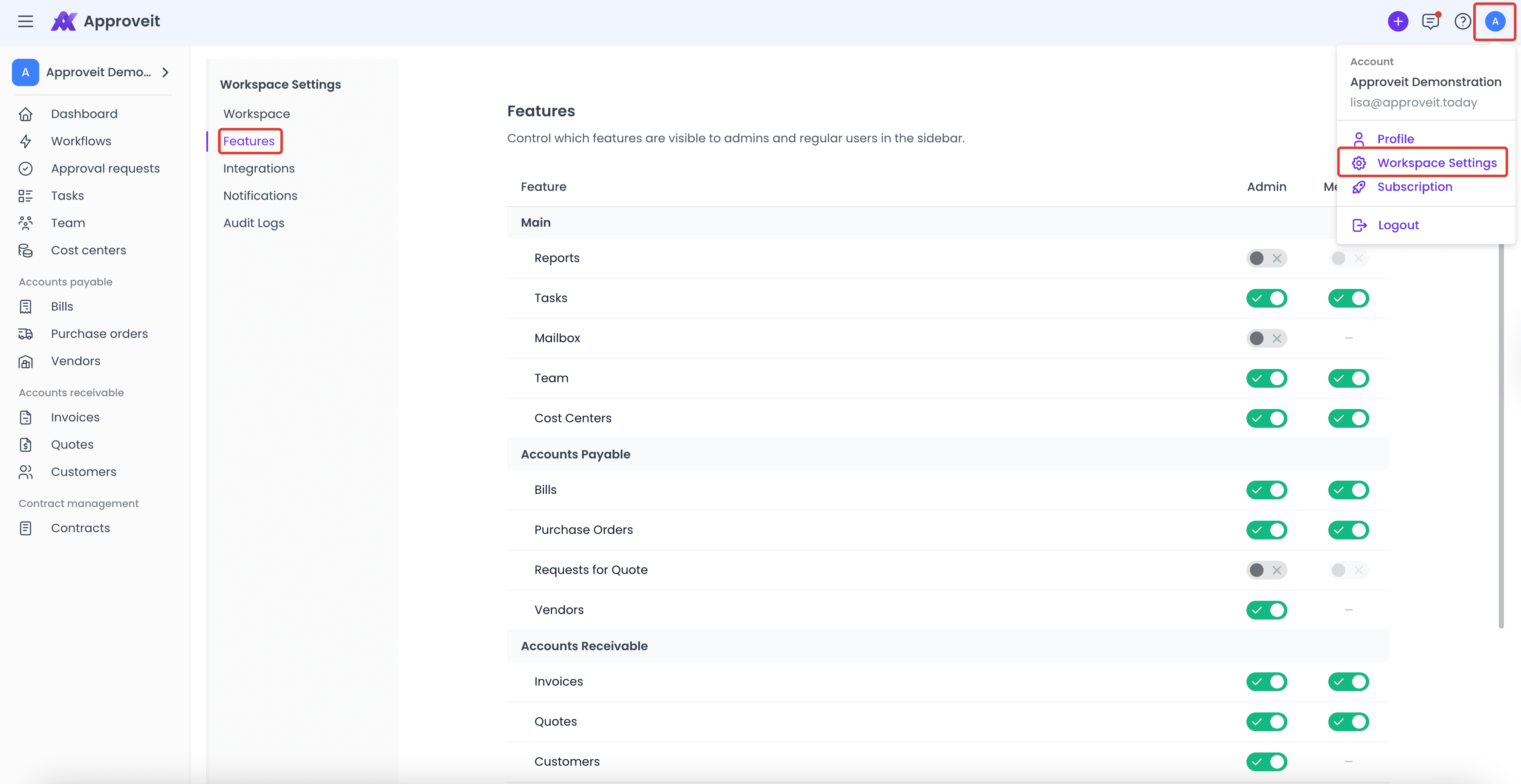
In this section, admins can enable or disable specific features and control their availability separately for Admins and Members. This allows admins to define who can access certain functionality and keep the workspace aligned with team roles and responsibilities.
When a feature is disabled for a role, it is completely hidden from the interface.
Changes apply to all users in the workspace and take effect immediately, giving admins full control over feature access, visibility, and overall workspace configuration.
If you have any questions or need further assistance, feel free to reach out to our
support team.