

Best overall for invoice approvals inside Slack or Microsoft Teams: Approveit. Best for bill management and payments: BILL. Best for international supplier payments: Tipalti. The best accounts payable automation software in 2026 depends on whether your bottleneck is approval, invoice processing, or payment execution.
TL;DR
Approveit is best for invoice approval workflows inside Slack, Microsoft Teams, and email.
BILL suits teams seeking bill management and payments rather than a standalone approval workflow.
Tipalti fits international supplier payment needs; Medius fits invoice-processing requirements.
Choose accounts payable automation around your actual bottleneck, not the longest feature list.
Why this matters
Invoice approval and accounts payable automation are not interchangeable. If finance spends its time chasing decisions in messages, fix approval routing first. If invoices stall during capture, matching, or payment, assess software built for those tasks.
What makes the best accounts payable automation software
Scope fit: Covers the work you need to change.
Approval routing: Sends requests to accountable decision-makers.
Decision records: Keeps approvals traceable.
Accounting fit: Supports your financial system and process.
Exception handling: Makes disputed invoices manageable.
Daily usability: Fits how requesters and approvers work.
Accounts payable software at a glance
Best for: Invoice approvals inside existing communication tools
Standout focus: No-code approval workflows in Slack, Microsoft Teams, and email
Key limitation: Approval automation is not the same scope as invoice capture or payment execution
BILL
Best for: Bill management and payments
Standout focus: Managing bills through the payment process
Key limitation: Payment functionality does not replace a review of your approval requirements
Tipalti
Best for: International supplier payment operations
Standout focus: Supplier onboarding and payment management
Key limitation: Broader payment scope requires more evaluation than an approval-only requirement
SAP Concur
Best for: Organizations coordinating invoice and expense processes
Standout focus: Invoice and expense products within the same software family
Key limitation: Shared branding does not establish which products or connections your setup requires
Medius
Best for: Teams prioritizing invoice processing
Standout focus: Invoice capture, matching, and AP workflows
Key limitation: Invoice-processing scope is broader than a chat-based approval requirement
The comparison separates distinct buying needs. It is not a claim that every product offers the same functions, or that one platform should replace your entire finance stack.
1. Approveit: best for invoice approvals in Slack and Teams
Approveit provides no-code approval workflow software for finance, HR, IT, and operations. Finance teams can automate invoice, purchase, and expense approvals directly within Slack, Microsoft Teams, and email.
Best for: Teams with recurring approvals that currently depend on manual messages and follow-up.
The central use case is straightforward: an invoice needs a decision, the responsible person receives an approval request, and the decision becomes traceable. You keep the approval task in the communication tools your team already uses rather than introducing a separate destination solely for that decision.
Approveit pros:
Supports invoice, purchase, and expense approval workflows.
Lets teams approve within Slack, Microsoft Teams, or email.
Uses no-code workflow setup rather than custom development.
Addresses approval needs beyond finance, including HR and IT requests.
Approveit cons:
Its stated scope is approval workflow automation, not an entire accounts payable operation.
Invoice capture, payment execution, and accounting-system requirements need separate evaluation.
No-code setup still requires you to define ownership and approval rules.
For a useful demonstration, bring a real invoice scenario. Show where the request starts, who reviews it, what happens after rejection, and where finance needs the decision record. Ask to see that sequence rather than a generic product tour.
The strongest reason to choose an approval-focused tool is not to add another finance system. It is to replace recurring manual coordination with a defined workflow.
Verdict: Buy for approval routing inside existing communication tools; skip as a substitute for evaluating payment infrastructure.
2. BILL: best for bill management and payments
BILL provides software for managing bills and business payments. It belongs on your shortlist when you want the bill and its payment process handled together, rather than only improving the approval conversation.
Best for: Finance teams whose requirement extends from reviewing bills to executing payments.
Separate the payment requirement from the approval requirement during evaluation. A product can address both, but you still need to establish who approves, who pays, and which accounting records must stay aligned.
BILL pros:
Addresses bill management and payment tasks.
Provides a broader AP focus than an approval-only workflow.
Gives payment execution a place in the purchasing decision.
BILL cons:
Broader bill-and-payment scope adds evaluation work when approvals are your only problem.
You still need to confirm accounting compatibility and responsibility boundaries.
A payment-centered shortlist is incomplete if your main requirement is approving inside Slack or Teams.
Use a representative bill to test the handoff between approval and payment. Ask what the approver sees, what the payment operator does next, and how finance identifies an approved bill that has not yet been paid.
Do not treat those statuses as equivalent. Approval authorizes the next action; it does not establish that funds have moved.
Verdict: Buy when bill management and payments belong in the same project; hold when you only need approval routing.
3. Tipalti: best for international supplier payments
Tipalti provides supplier onboarding and payment management software, including international payment use cases. Its role in this shortlist is the supplier-payment operation, not simply replacing invoice approval messages.
Best for: Teams that need to evaluate supplier onboarding and international payments alongside AP workflows.
Start with your actual supplier footprint. Countries, payment methods, required supplier information, and financial controls belong in the requirements document before you compare platforms.
Tipalti pros:
Addresses supplier onboarding as part of the payment process.
Includes international supplier payments in its product scope.
Suits an evaluation that covers more than invoice approval alone.
Tipalti cons:
Supplier and payment requirements make the buying process broader than an approval-only evaluation.
You must verify support for your specific countries and payment methods.
International payment functionality does not answer every question about approver experience.
Ask the vendor to demonstrate the journey from supplier information to an approved payable and its payment status. Use your real requirements, not a sample supplier chosen only because it fits the demonstration.
Also separate responsibility for collecting supplier details from responsibility for approving the invoice. Those are different controls. Your evaluation should show how each owner performs their task without treating supplier onboarding as proof that an invoice is valid.
Verdict: Buy for a defined international supplier-payment requirement; skip when the problem is limited to chasing approvals.
4. SAP Concur: best for coordinating invoices and expenses
SAP Concur offers invoice and expense management products. It belongs on the shortlist when your organization needs to consider those processes together, especially when employee expenses are part of the same finance project.
Best for: Organizations evaluating invoice and expense management across related processes.
A supplier invoice and an employee expense claim both require review, but they do not necessarily follow the same rules. Compare the products and workflow requirements separately before deciding how they should work together.
SAP Concur pros:
Covers invoice and expense management within its product family.
Fits evaluations that include employee spending as well as supplier invoices.
Provides a relevant option when expense management shapes the AP decision.
SAP Concur cons:
Separate invoice and expense needs require a clear product-scope review.
Sharing a software family does not prove every required connection is included.
Cross-department requirements add work when your immediate need is a simple invoice decision.
For a 2026 evaluation, bring an employee expense claim and a supplier invoice. Ask the vendor to demonstrate each process independently, including the reviewer, supporting information, rejection path, and final record.
Avoid selecting software merely to put different spending processes under one name. The practical test is whether finance and employees can complete their respective tasks under the rules your organization actually uses.
Verdict: Buy when invoice and expense management are both in scope; hold when you need only a focused approval workflow.
5. Medius: best for invoice-processing requirements
Medius provides accounts payable automation software with invoice capture, matching, and workflow capabilities. Its place in this list is the invoice-processing layer: turning incoming invoices into items finance can review and move through AP.
Best for: Teams whose main requirement is invoice capture, matching, and exception handling.
Start by identifying why invoices become exceptions. Missing references, mismatched information, and unclear ownership call for different demonstrations. Ask to see the problem your finance team handles, not only a clean invoice moving through the standard path.
Medius pros:
Addresses invoice processing rather than approval messages alone.
Includes invoice capture and matching in its product scope.
Fits a requirements review centered on AP workflow and exceptions.
Medius cons:
A wider invoice-processing project needs more preparation than a standalone approval workflow.
Matching requirements depend on the records and processes your organization uses.
Automation does not remove the need to assign responsibility for disputed invoices.
During evaluation, separate data extraction from approval judgment. Reading an invoice is one task; deciding whether the business should authorize it is another. Your demonstration should establish how an exception reaches the person responsible for resolving it.
Verdict: Buy when invoice processing is the bottleneck; hold when your existing process works until the approval handoff.
How this ranking works
This 2026 ranking prioritizes scope fit, approval routing, decision records, accounting fit, exception handling, and daily usability. Each option owns a different use case because approval software, payment software, and invoice-processing software solve overlapping but distinct problems.
The ranking is a buying framework, not a benchmark of implementation speed or processing accuracy. Choose the use case first. Then validate the product against your own workflow.
Manual approvals versus a defined workflow
Manual approvals in Slack, Teams, or email remain the main alternative for teams evaluating approval automation. The issue is not whether someone can reply to a message. It is whether finance can reliably establish who owns the decision and what happens next.
Manual messages
Best for: Occasional, uncomplicated decisions
Advantage: No separate workflow setup
Limitation: People must coordinate ownership, follow-up, and records
Defined approval workflow
Best for: Recurring invoice, purchase, or expense approvals
Advantage: Makes routing and decisions part of a repeatable process
Limitation: Requires clear rules and accountable owners
Keep manual approval for genuinely occasional requests. Choose a defined workflow when the same approval path repeats. Buying software without defining that path leaves the underlying management problem intact.
Run a focused software evaluation in 2026
Use 1 workflow, 3 stages, and 10 representative invoices as a practical demonstration brief. These are recommended evaluation inputs, not product limits or performance claims.
Request intake
Choose one recurring invoice workflow. Identify the information finance needs before review, including the supplier, invoice reference, business owner, and supporting context.
Approval decision
Define who decides and what happens after approval or rejection. Include a disputed invoice in the demonstration so you can see how the process handles something other than a straightforward acceptance.
Finance handoff
Establish what finance needs after the decision. A usable approval record and a completed payment are separate outcomes; test the relevant handoff rather than assuming one proves the other.
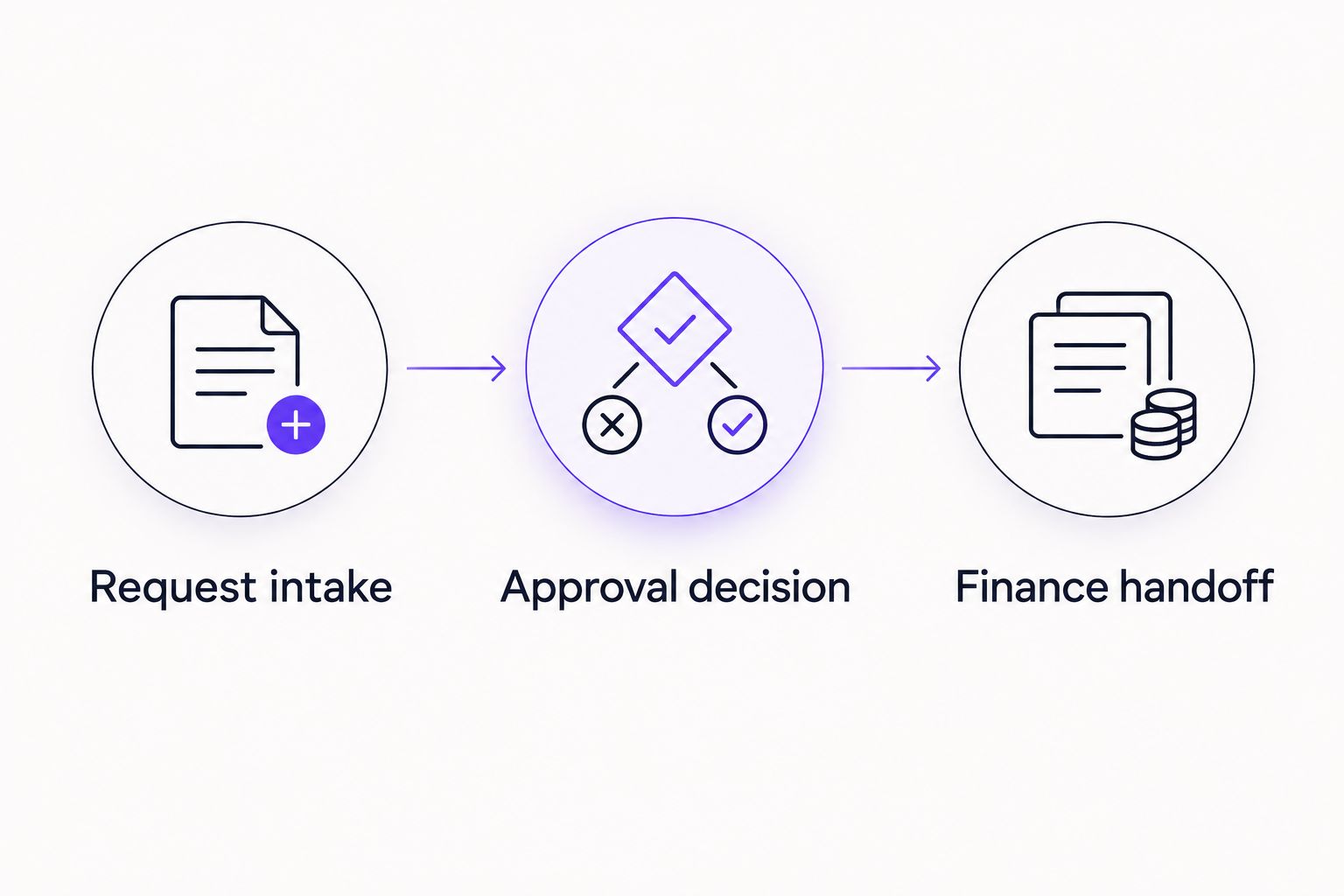
Test the handoff after approval, not just the approval itself.
Ask every shortlisted vendor to follow the same brief. Keep a record of demonstrated behavior, unresolved requirements, and the owner responsible for checking each requirement before purchase.
Explore your invoice approval workflow
Evaluate no-code invoice approvals inside Slack, Microsoft Teams, and email.
Which accounts payable software should you choose?
Approveit is best for teams that need invoice approval workflows inside Slack, Microsoft Teams, or email. Start there when manual approval coordination is the problem and your existing finance process otherwise meets your needs.
Choose BILL for a bill-and-payment project, Tipalti for international supplier-payment requirements, SAP Concur when invoices and employee expenses share the evaluation, or Medius when invoice processing drives the decision.
For your 2026 shortlist, select the narrowest scope that covers the actual requirement. Add broader functionality only when you can name the process it will replace.
FAQ
What's the best accounts payable automation software in 2026?
The best accounts payable automation software depends on the task you need to automate. Choose approval workflow software for recurring decisions, bill-and-payment software for payment execution, and invoice-processing software for capture and matching requirements.
Can I automate invoice approvals inside Slack or Microsoft Teams?
Yes, the approval workflow software featured first in this guide supports invoice approvals directly within Slack, Microsoft Teams, and email. Evaluate a real invoice workflow to confirm how your requesters, approvers, and finance team will use it.
Is invoice approval software the same as accounts payable automation?
No, invoice approval software addresses the decision workflow, while accounts payable automation can cover a broader set of tasks. Separate capture, matching, approval, accounting handoff, and payment requirements before selecting software.
Is BILL better than Tipalti for accounts payable?
BILL and Tipalti serve different buying priorities in this comparison. Shortlist BILL for bill management and payments, and Tipalti when international supplier onboarding and payment requirements drive the project.
Should I replace manual invoice approvals in email?
Replace manual email approvals when recurring requests need a defined owner, repeatable routing, and traceable decisions. Occasional, uncomplicated requests do not automatically justify a separate workflow project.
What should I ask during an accounts payable software demo?
Ask the vendor to demonstrate your own invoice from intake through approval and the finance handoff. Include a rejected or disputed invoice, and confirm who owns the next action at each stage.
Do I need payment software if my only problem is slow approvals?
No, a slow approval process does not by itself establish a need for payment software. Evaluate approval routing first, then add payment functionality only when payment execution is also part of the requirement.
One last thing
An approved invoice is not a paid invoice. Put both states on your evaluation checklist, even if you are buying only approval software. That distinction gives finance a precise question to ask: who owns the next action after the decision?







